Wondering whether a smart bulb or a smart plug is the better choice for your home? The decision largely depends on what you want to control and how you prefer to customize your lighting.
A smart plug offers simple on/off control for lamps and appliances.
While a smart bulb adds features like dimming and color changing. Keep reading to find out which option fits your needs best.
Smart Bulb vs. Smart Plug: Key Differences at a Glance
Both smart bulbs and smart plugs add convenience to your home, but they control different aspects. A smart bulb replaces your existing light bulb and allows you to adjust brightness and often color settings via an app or voice command. This means you can instantly change the mood of a room without physically swapping out fixtures. In contrast, a smart plug controls the power supply to any device plugged into it, such as a lamp, fan, or coffee maker. It typically only allows you to turn the device on or off remotely, making the control simpler with a basic on/off toggle interface. However, this limits your ability to adjust brightness or color, since you’re not replacing the bulb but just toggling the power supply. Essentially, smart bulbs focus on controlling the light source, while smart plugs provide control over any plugged-in device’s power flow. For instance, smart plugs are cost-effective and simple to set up for controlling standard appliances remotely. Unlike smart bulbs, smart plugs do not require a compatible fixture, making them more versatile for retrofit applications. For ceiling fans, using a smart plug lets you remotely change the fan’s on/off state, but you must still manually adjust the blade direction for seasonal efficiency. For outdoor lighting, careful attention to weatherproof wiring methods ensures a safe and durable installation.
When to Choose a Smart Bulb Over a Smart Plug
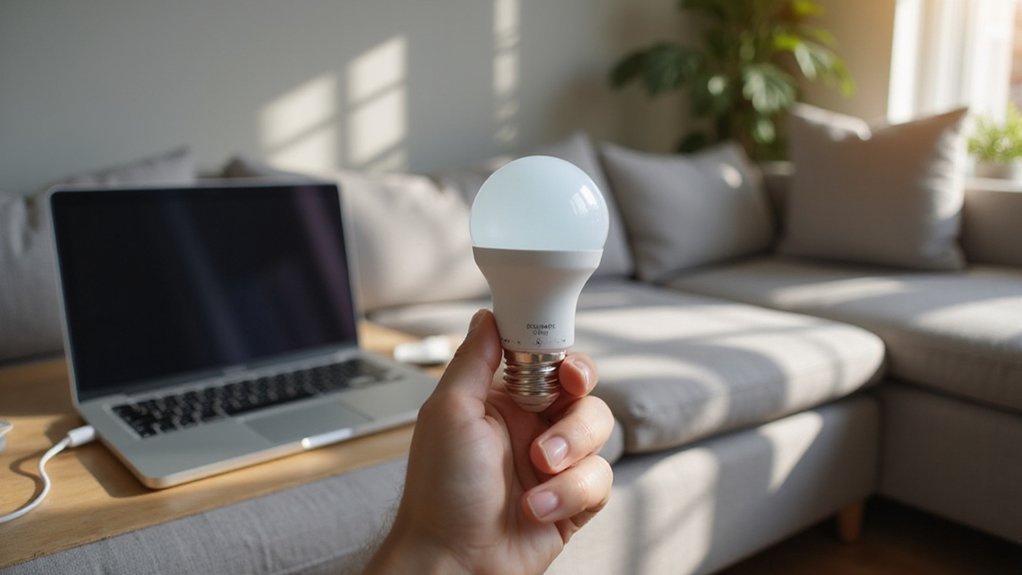
A smart bulb is the best choice when you want full control over individual lights, customize colors, or set specific moods. Unlike a smart plug, which controls the power to a fixture, a smart bulb can be adjusted independently. If you wish to change from warm white to vibrant blue, a smart bulb makes that straightforward. It also supports dimming and scheduling, so you can create scenes for reading, relaxing, or entertaining.
Installation is simple—just remove your existing bulb and screw in the smart bulb. No wiring work needed. However, you should check that your fixture is compatible and that the wall switch stays on, as the bulb needs continuous power. This setup works well in lamps or ceiling fixtures that stay powered and are intended for individual control. When your goal is to fine-tune room lighting rather than control an appliance, a smart bulb provides the precise ambiance you’re looking for. If you are converting a ceiling fan into a light fixture, a smart bulb simplifies the process by avoiding complex wiring changes.
Pick a Smart Plug for Versatility and Cost Savings
A smart plug is a practical, budget-friendly way to start automating your home. It offers the most versatile, cost-effective entry point into smart technology. Instead of replacing existing devices, you simply plug lamps or appliances into the smart outlet, gaining remote control and voice activation instantly. This approach allows you to modernize multiple items gradually rather than replacing everything at once. Unlike smart bulbs, a smart plug works with any standard device, providing a plain-English definition of how it functions with everyday fixtures. For example, you can think of it as a suspended fixture that adapts to any lamp you connect to it.
Smart plugs excel in energy efficiency too. You can schedule devices to turn off automatically, reducing electricity waste from devices left on or idle. Some models include energy monitoring features that identify which appliances use the most power, helping you target savings more effectively. Since you can move the plug to different locations as needed, it provides broad smart-home benefits without the need to upgrade your current devices. This makes it an accessible, cost-conscious way to explore the advantages of smart technology. However, for controlling a hardwired ceiling fan and light, you would need to follow a safe wiring process that involves turning off power at the breaker and connecting the correct wires.
Is Installing a Smart Bulb Harder Than a Smart Plug?
Installing a smart bulb isn’t necessarily harder than setting up a smart plug, but it does involve some additional steps. With a smart plug, you simply plug it into an outlet and pair it via an app. It requires no wiring, fixture access, or technical considerations beyond connecting to your Wi-Fi network. For wall-mounted fixtures, best wall sconce candle holders often require specific bulb shapes or sizes that may limit smart bulb compatibility. However, using a smart plug avoids this issue entirely because the Kasa smart plug connects directly to the outlet without needing a specific bulb shape. For ceiling fans, a hardwired installation involves turning off power at the breaker and securing proper wire connections to ensure safety.
Smart bulbs, on the other hand, need to be screwed into a socket and often require the wall switch to stay on so they remain powered and manageable through the app. You also need to verify compatibility, including your Wi-Fi band, smart-home platform, and whether the bulb works with dimmer switches. Some smart bulbs rely on a dedicated hub or bridge, which adds setup complexity. For hardwired installations, a failed fixture requires rewiring the entire ceiling, making replacement costly and complicated compared to simply swapping a smart bulb.
If you are replacing a basic lamp, swapping in a smart bulb tends to be quick and straightforward. However, for hardwired fixtures or older homes with complicated wiring, a smart plug can be easier, as it’s just a matter of plugging in and pairing.
Can a Smart Plug Control Dimming or Color?
A standard smart plug cannot control dimming or color. Its primary function is to turn power on and off. To adjust brightness, you need a smart dimmer plug, such as those from Lutron or Leviton, which provide true plug dimming capability. These devices regulate the power supplied to your lamp, allowing you to fine-tune brightness through an app or voice commands. For a more decorative lighting option, consider a chandelier with antlers to achieve a rustic aesthetic. For a straightforward setup, you can connect Kasa Smart Plug with Alexa to control any standard lamp.
However, controlling the color of your lights is not possible with a smart plug alone. Dimming plugs only manage brightness levels, not RGB hues or color temperature. For changing colors, you will need smart bulbs that support color adjustments. If your goal is mood lighting with specific hues, a smart bulb is the way to go. A dimmer plug offers precise brightness control but does not affect your bulb’s color spectrum. For ceiling fans, adding a remote requires following safety limits to prevent electrical hazards.
Which Option Costs More Upfront?
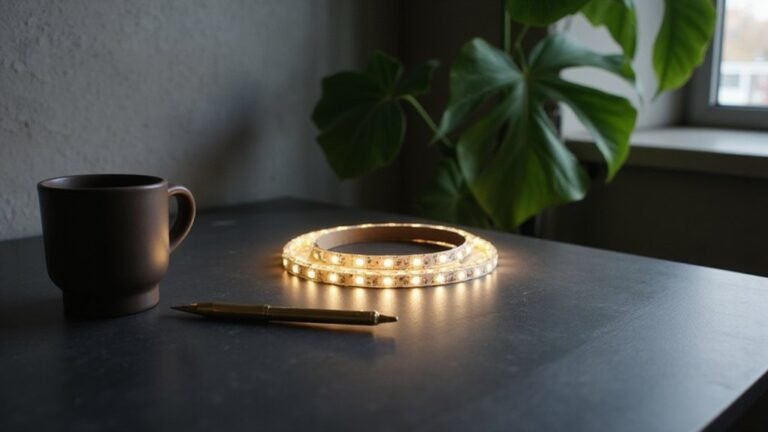
Smart plugs generally cost between $10 and $25 per unit, making them a much more affordable option upfront. In comparison, smart bulbs typically range from $15 to $30 each, with premium models reaching around $60. The difference becomes even more significant when you consider the number of bulbs needed for a single fixture. For example, replacing six bulbs in a ceiling fixture can cost between $90 and $180 in smart bulbs, whereas a single smart plug controlling the whole setup might only cost under $25. As a result, smart plugs offer a considerably lower initial investment, especially for multi-bulb fixtures where costs add up quickly. However, unlike smart plugs, some smart bulbs can be cut to length if they are LED strip-style fixtures, which requires checking the marked cut lines and staying within the manufacturer’s safe wattage limits to avoid damage. For example, opting for a smart plug avoids the risk of purchasing non-dimmable bulbs that cannot be dimmed without proper dimmer compatibility. When installing smart bulbs under cabinets, you must also consider proper light placement to avoid shadows and ensure even illumination.
Do Smart Bulbs or Plugs Need a Smart Home Hub?
Many smart plugs and bulbs connect directly to your Wi-Fi or Bluetooth without needing a smart home hub, making setup straightforward. These hub-free devices typically work well for small setups, especially if you want quick, simple control. However, for larger or more integrated systems, a smart hub is often beneficial. Devices that require a hub usually use protocols like Zigbee or Z‑Wave, which aren’t as common in consumer routers. If you already have a compatible hub or plan to expand your smart home, choosing hub-dependent devices can offer better reliability and more advanced automation options. Keep in mind that using a hub adds hardware costs and setup complexity but also enables more sophisticated coordination and energy-saving automations across multiple devices. Your decision depends on the size of your setup and your preference for simplicity versus expanded control.
Which Consumes More Standby Power?
Smart bulbs generally consume slightly more standby power than smart plugs, but the difference is usually small. Most smart bulbs draw between 0.2 and 0.5 watts when in standby mode, though some can go up to 2.7 watts. In comparison, smart plugs also use standby power within a similar range, but documented measurements are less common. The actual power consumption depends on the specific model, brand, radio type, and features—not just whether it’s a bulb or a plug. For example, a low-power smart bulb might use less standby energy than a high-power smart plug. To determine which consumes more, check the product specifications before purchase. The small amount of energy each device uses sums up to only a few cents per month, so for most homes, the difference is negligible. Instead of stressing over phantom loads, focus on choosing devices that meet your control needs efficiently. For example, smart plugs can completely cut power to devices when turned off, helping to reduce standby waste. Understanding how track lighting parts like connectors and rails work can similarly clarify which hardware best suits your home automation setup. If you are working with wiring directly, knowing how to safely disconnect push wire connectors ensures a clean and safe DIY finish.
Quick Verdict: Which One Should You Buy?
Choosing between a smart bulb and a smart plug depends on what you want to control. Use a smart plug for lamps and appliances that only need on/off control and scheduling. It’s simple to set up, requires no wiring, and can be moved between rooms. A smart plug is also energy-efficient for devices with standby power, allowing you to cut power when not in use. However, solar wiring fixtures such as ceiling lights may not be compatible with smart plugs, limiting your options.
Opt for a smart bulb when you want lighting with dimming, color options, or scene control. It’s ideal when the fixture itself is the device you want to control and the wall switch can stay on. Keep in mind, flipping the wall switch to off disables smart features since power is cut to the bulb. There’s no one-size-fits-all answer—choose based on whether you need control over the entire fixture or just the device plugged into a socket.