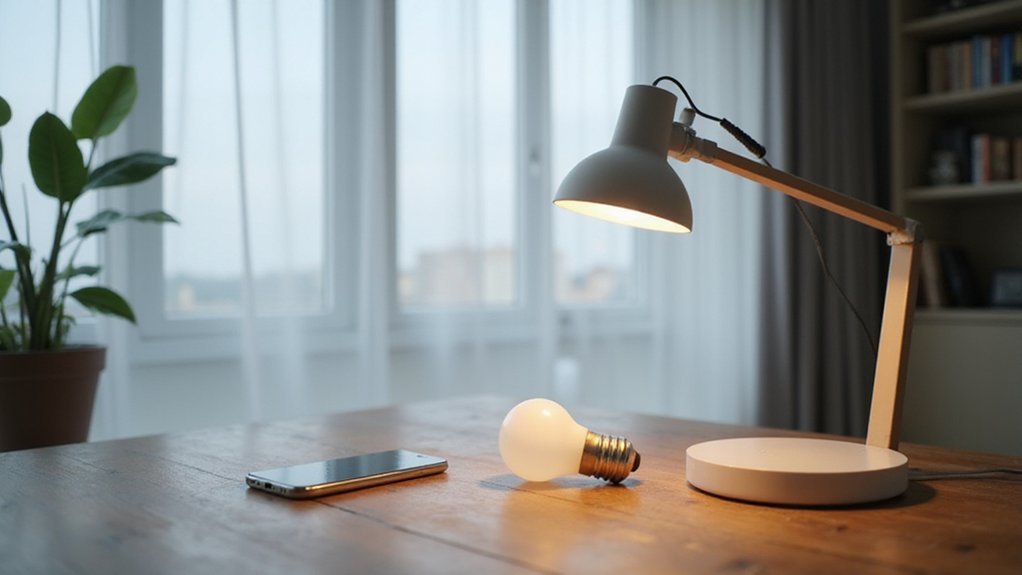
Have you ever wondered how smart light bulbs can change colors or dim with just a tap or voice command? These bulbs use tiny onboard computers connected through Wi‑Fi or Zigbee to instantly adjust brightness and color settings.
To keep them working smoothly, they need continuous power, so avoid flipping the switch off.
Keep reading to see how motion sensors and automation make these lights even smarter.
The Hardware and Software That Makes a Bulb Smart
The hardware and software in a smart bulb essentially turn it into a tiny computer. Inside, a microcontroller acts as the local brain, handling tasks like dimming and changing colors. Complex power management circuitry converts household AC power into stable low-voltage DC, protecting the LEDs and supporting constant-current drivers. There are separate circuit boards for lighting and control functions, with flash memory storing your settings and the firmware that interprets app commands. For optimal airflow and energy savings, a ceiling fan’s direction should be changed seasonally, as seasonal rotation settings improve comfort by creating a cooling downdraft in summer and an updraft to circulate warm air in winter. Always begin any smart bulb installation by turning off power at the circuit breaker to ensure safety before handling wiring. Firmware updates you install can do more than just fix bugs; they can introduce new lighting scenes and automation features. A wireless radio module, whether Wi-Fi or Zigbee, manages communication with your device or hub. Meanwhile, a crystal oscillator keeps everything synchronized, ensuring your smart bulb responds precisely and reliably. To prevent issues after power restoration, settings can be adjusted so bulbs stay off if initially off, overriding the default full brightness. For a clean and safe installation, use wire connectors to securely join the smart bulb’s leads to your home’s wiring, matching the hot, neutral, and ground wires properly.
How Do Smart Bulbs Talk to Your Network?
When you set up a Wi‑Fi smart bulb, it doesn’t just automatically join your network. Instead, it goes through a specific pairing process using the manufacturer’s app. Usually, the process starts with the bulb blinking a particular way—often a rapid flash—that signals it’s ready to connect. You’ll need to make sure your phone is connected to the same 2.4 GHz Wi‑Fi band, as many smart bulbs do not support or ignore the 5 GHz band. The app then detects the bulb and prompts you to enter your Wi‑Fi password. This information is sent to the bulb through a temporary setup network created by the bulb itself, ensuring secure communication. Once the bulb successfully joins your Wi‑Fi router, it communicates directly with your network, eliminating the need for a separate hub. For example, the instruction manual shows the pairing process and step-by-step app screen images to guide you through connecting the bulb. For a more permanent installation, recessed can lights often require a compatible trim or housing to fit the bulb securely. This is similar to how motion detection in flood lights uses integrated sensors to trigger lights without needing a hub. Always follow safe wiring tips for a clean and secure DIY finish.
It’s important to note that reliance on this pairing process doesn’t impact the bulb’s network behavior. The manufacturing process itself doesn’t affect whether the bulb can connect or how it talks to your network. Connection failures are often caused by your phone being connected to the wrong Wi‑Fi band or other network issues. After the initial setup, the bulb acts as a standard Wi‑Fi client device, allowing you to control it via the app without additional hardware.
What Can You Actually Control With a Smart Bulb?
Once your smart bulb is connected to your network, you can do much more than just turn it on or off. You can dim it individually or control multiple bulbs grouped by room at the same time. Color customization allows you to change the light from warm white to cool white or select any RGB hue for different moods, like parties or relaxation. Scheduling features let you automate lights to match your routine—turning them on at sunset or off when you leave for work. You can create scenes, such as a movie mode that dims the lights to a deep blue. Voice commands through Alexa or Google Assistant enable instant adjustments, and app control provides remote access from anywhere, giving you complete control over your lighting environment. However, because smart bulbs require permanently powered switches, turning off the physical wall switch will cut power and disable all remote, voice, and automation control. Unlike LED strip lights, which can be cut at designated points to customize length, smart bulbs rely on a continuous power source through the switch. For a more decorative or ambient setup, you might instead consider pairing a smart bulb with a wall sconce mount to blend functionality with style.
Why Do Smart Bulbs Need to Stay Powered On?
Smart bulbs need to stay powered on because their internal electronics—the microcontrollers, wireless radios, and memory—must remain active even when the light is off. Turning off the wall switch cuts power to the bulb, shutting down its “brain,” which makes it unreachable by apps, voice commands, or automations. This means you’re not just turning off the light but also disconnecting the entire smart system.
Keeping the bulb in standby mode requires minimal energy—typically between 0.2 and 0.5 watts per bulb. This tiny power draw ensures the wireless radio stays listening for commands, allowing you to get instant responses without any delay. If you want to maintain your settings during power outages, a power backup can help keep the network connection stable. However, the switch still needs to be on for the bulb to function with your smart setup. Without continuous power, you lose the convenience and control that make smart bulbs beneficial. Smart bulbs with dimming features often use slightly more standby power to maintain their dimming memory.
Why LED Technology Is Essential for Smart Lighting
LED technology is essential for smart lighting because it offers unmatched energy efficiency, longevity, and versatility compared to traditional lighting methods. Here’s why this technology is a game-changer:
First, LED lights consume significantly less power—up to 75% less than incandescent bulbs—making them ideal for reducing energy costs and environmental impact. This efficiency translates directly into cost savings over the lifespan of the fixtures, which can last 25,000 to 50,000 hours or more. Such longevity means fewer replacements and maintenance, especially important in large-scale or hard-to-reach installations.
Second, LEDs provide highly customizable lighting options. They can be dimmed smoothly without flickering, and their color temperature can be adjusted from warm to cool tones, enhancing mood, productivity, or energy conservation depending on the setting. This level of control is vital for integrated smart lighting systems, allowing automation based on time of day, occupancy, or user preferences.
Third, LEDs are more durable and resistant to shocks, vibrations, and external weather conditions. This makes them suitable for an array of environments—from indoor residential spaces to outdoor street lighting—where durability matters. Their compact size also enables innovative design possibilities, integrating seamlessly into smart fixtures and fixtures compatible with Internet of Things (IoT) platforms.
Fourth, LED-based smart lighting systems can be integrated with sensors and wireless networks to enable features like remote control, automation, and energy monitoring. These capabilities allow you to optimize lighting usage, reduce waste, and enhance convenience. For example, motion sensors can turn lights on or off automatically, and apps can allow you to adjust lighting scenes from your smartphone.
Fifth, LED technology supports various emerging lighting standards and protocols, such as Zigbee, Z-Wave, and Wi-Fi, making integration with existing smart home and building management systems straightforward. This interoperability means you can create cohesive, customized lighting ecosystems adaptable to changing needs.
How Sensors and Automation Add Intelligence
Sensors and automation provide the true intelligence behind lighting systems. Motion sensors detect your presence and automatically turn lights on or off, relying on sensor accuracy to avoid false triggers. Ambient light sensors measure daylight levels, so your bulbs dim when sunlight is strong and brighten as it gets darker.
Automation logic processes sensor data and applies programmed rules. For example, your controller can turn on a low-brightness path light when motion is detected at midnight. You can create routines that combine motion, time, and light levels, making lighting responsive to different conditions. Door sensors can trigger lights when you enter a room, and schedules or location data enable hands-free routines that adapt to your daily habits without manual adjustments. If your smart plug stops responding, performing a factory reset can restore normal operation and re-establish communication with the controller. Smart room sensors can also be used to adjust variable brightness, further enhancing automation. For reliable connections between these sensors and controllers, wire connectors ensure stable signal transmission. Using wire splice connectors properly can prevent short circuits and signal loss in your automated lighting setup.